23-04-2026
Direct support with the new Help function in FarmConnect 4.0
Every second counts in a modern farm. To help farmers and installers work even faster, FarmConnect 4.0 (farmconnect.live) now features an integrated Help function. This gives you instant answers to your questions.
Direct access to expertise
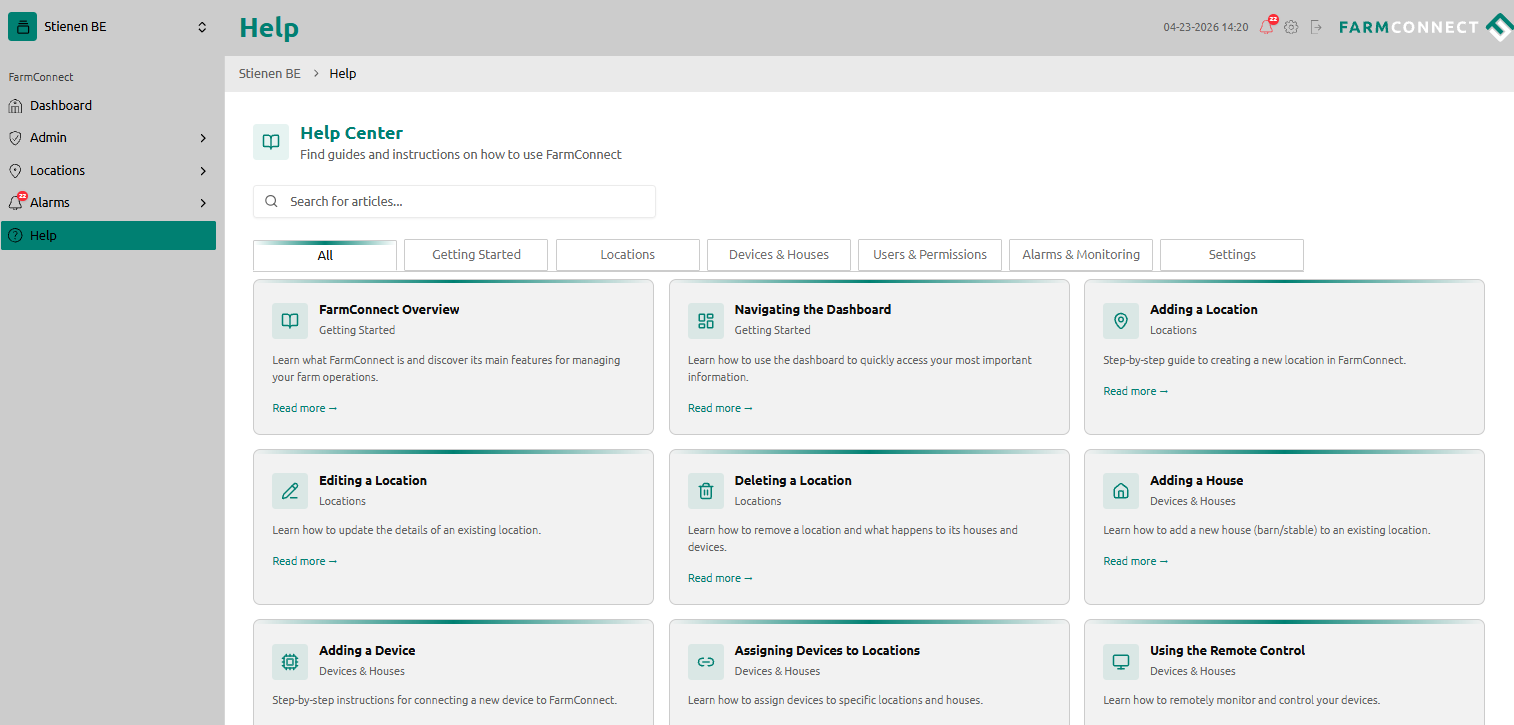
You can find the central Help environment via the question mark icon on the left side of the menu. The information is divided into clear tabs:
- Getting Started: For a quick initial configuration.
- Locations: Adding and accurately adjusting locations.
- Users & Permissions: Manage who has access to specific data and settings.
- Devices & Houses: Settings at device and house level.
- Alarms & Monitoring: Management of alarms and notifications.
Invite users in three steps
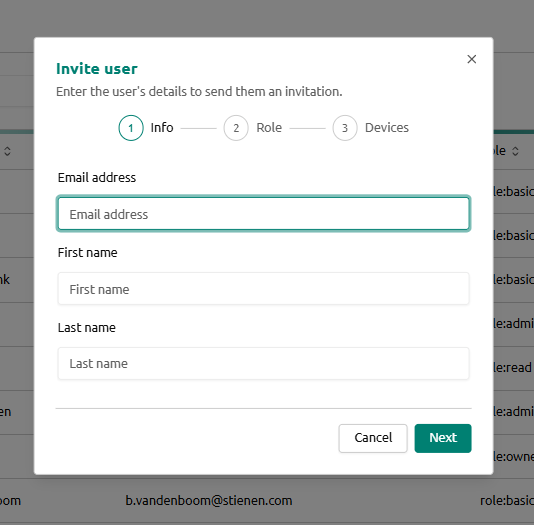
Collaborating with employees or advisors is now easier via the 'Invite Users' section:
- Navigate to Admin > Users in the sidebar. Here you will see a real-time overview of all active users within your organisation.
- Click on Invite User: Use the 'Invite user' button to open the invitation form.
- Enter details: Enter the new user's email address and click 'Send'. The invitee will immediately receive an email with clear instructions on how to set up the account and access FarmConnect.
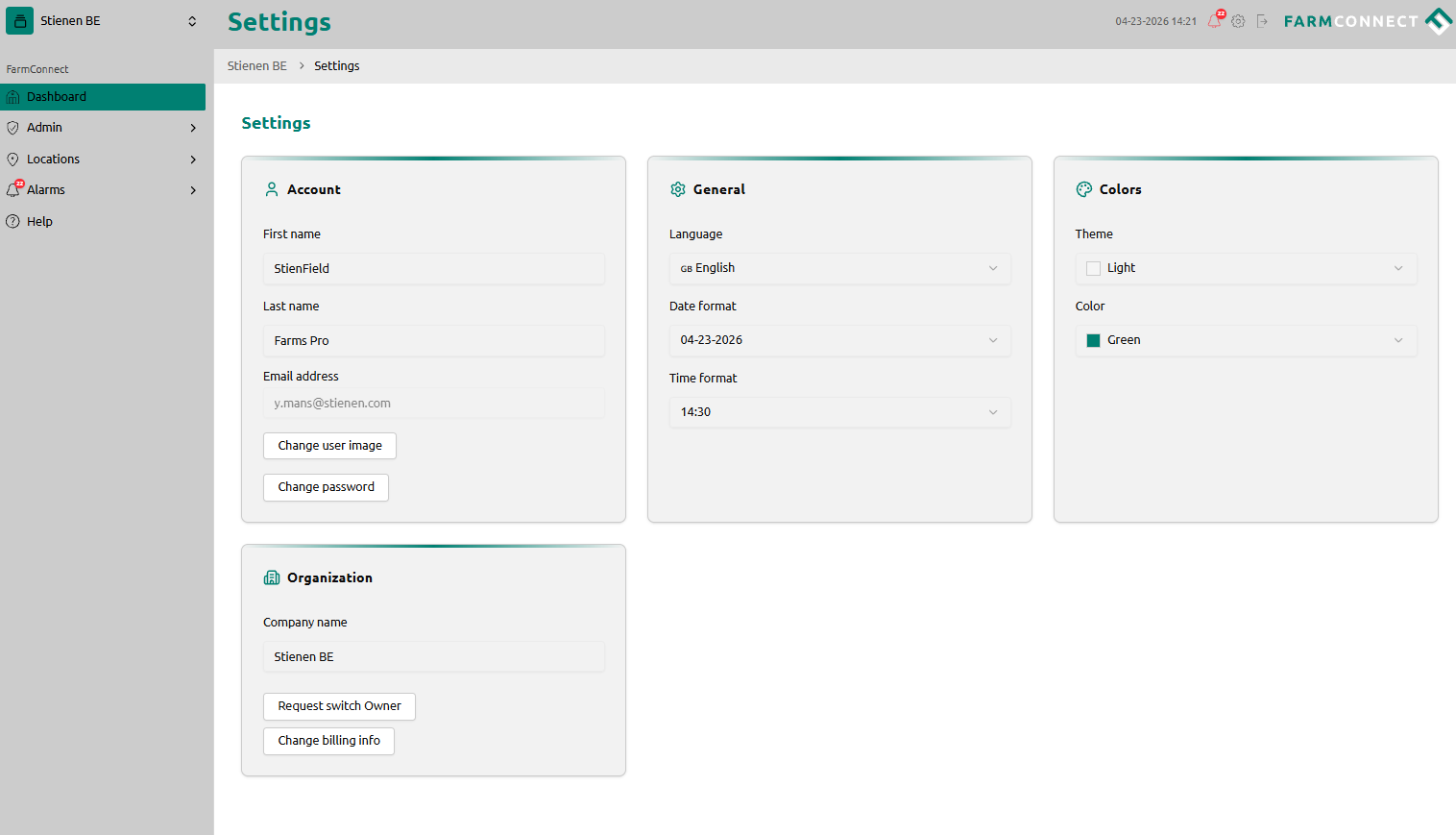
Change language in FarmConnect
- Go to Settings in the top right corner.
- Under the General tab, you will find the Language setting. Select your preferred language here. This change will be applied to your FarmConnect account.
Please note: this does not change the language on the control computer located in the house itself (locally).
Changing the theme (colors)
- Go to Settings in the top right corner.
- Under Colors, go to Theme. Here you can switch between a Light or Dark theme.
Quick & easy help
Smart farming is about making daily work easier:
- Save time: Get direct answers to your questions without searching, calling, or emailing, and at a time that suits you.
- Full control: Independently manage your team's access rights at any time.
- Continuous improvement: this help section will continue to improve with valuable tips and videos for easy onboarding.
Farmconnect.live continues to evolve based on your feedback, aiming for maximum results with a practical and smart approach.
Want to know more about configuring farmconnect.live?
The Stienen service team is here to help.